Article
A New Courseware Platform: Edify
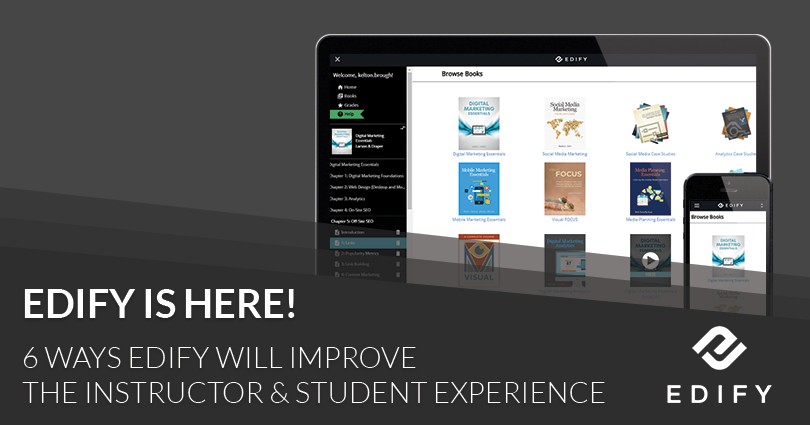
We've listened to your requests carefully and are excited to introduce a new courseware platform -- Edify, with all of the most frequently requested updates, features, and tools.
The new platform will not change the content of your textbook, its resources, or any courses you've created but simply make them more accessible and easy to implement.
Here are six of our favorite features of Edify:
1) Highlighting and Note Taking
Multicolor Highlighting
Improved, and now includes four different colors
With a simple click and drag, any text can now be highlighted
Notes Within the Chapter
Every highlighted portion of text now shows a pop-up note feature
Notes can be added directly within the text
Search Bar for Notes
Every note taken in the text can be accessed through a navigation bar
Notes in the navigation bar link to the corresponding in-chapter text
2) Easy Access to Resources
Course Introductions
Introductions showcase all resources and simulations associated with the text
Resources Housed Within the Chapters
Lesson plans, quizzes, assignments, projects, and lecture slides can be found in the left navigation bar
Resources can be downloaded individually or at one time in a compressed zip file
3) Improved Search
On-Screen Searching
The search bar is located at the top of the page and is available anywhere within the textbook
When a search term is entered, the results show in a scroll menu so the user remains on the current page
Easy Search Navigation
Any searched term will show results throughout the entire text
4) Expert Session Emphasis
Get the Most From Expert Sessions
Each expert session is housed in the left navigation bar for the accompanying chapter
Include a brief summary with duration, topic, and additional content
5) Less Distracting
Reader-Friendly Experience
Sidebar menus are all removable, allowing the reader to focus on the chapter text
6) Mobile Friendly
Access Textbooks Anywhere
Textbooks can now easily be read on any mobile device